

Elementor is one of the most popular WordPress website builders. If you created your website using Elementor and want to make it more accessible, you can install the Barriano Accessibility Widget. This guide explains how to add Barriano to your Elementor website step by step.
Step 1: Register Your Website with Barriano
First, register your WordPress website with Barriano and complete the website registration process.
Note: Add a screenshot showing the Barriano website registration page.
Step 2: Get Your Unique Code Snippet
Complete the registration process until you receive your unique Barriano installation code.
Copy the code to your clipboard or save it in a text file so you can use it during installation.
If you have already registered your website, sign in to your Barriano dashboard, select the relevant website, and copy its existing embed code.
Step 3: Install the Barriano Widget on Your Elementor Website
Sign in to your WordPress dashboard.
From the navigation menu on the left, select Elementor, and then select Custom Code from the submenu.
On the Custom Code page, click the Add New Custom Code button if this is your first time adding custom code.
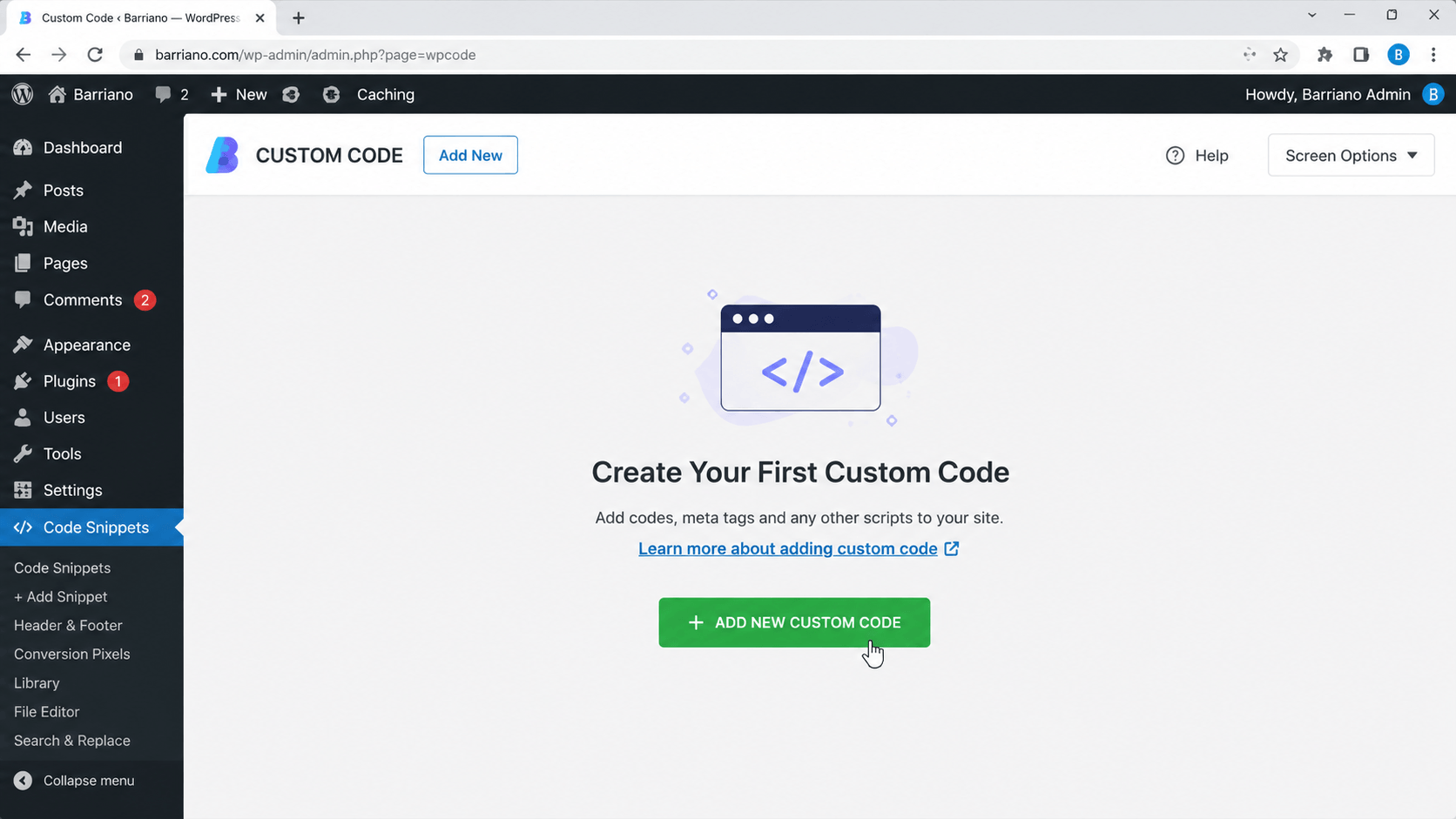
If this is not the first custom code you have created, click the “Add New” button at the top of the page.
On the next page, enter “Barriano” in the title field so you can easily identify the code later. From the location dropdown menu, select “body-end”, and then paste your unique Barriano code snippet into the large code field.
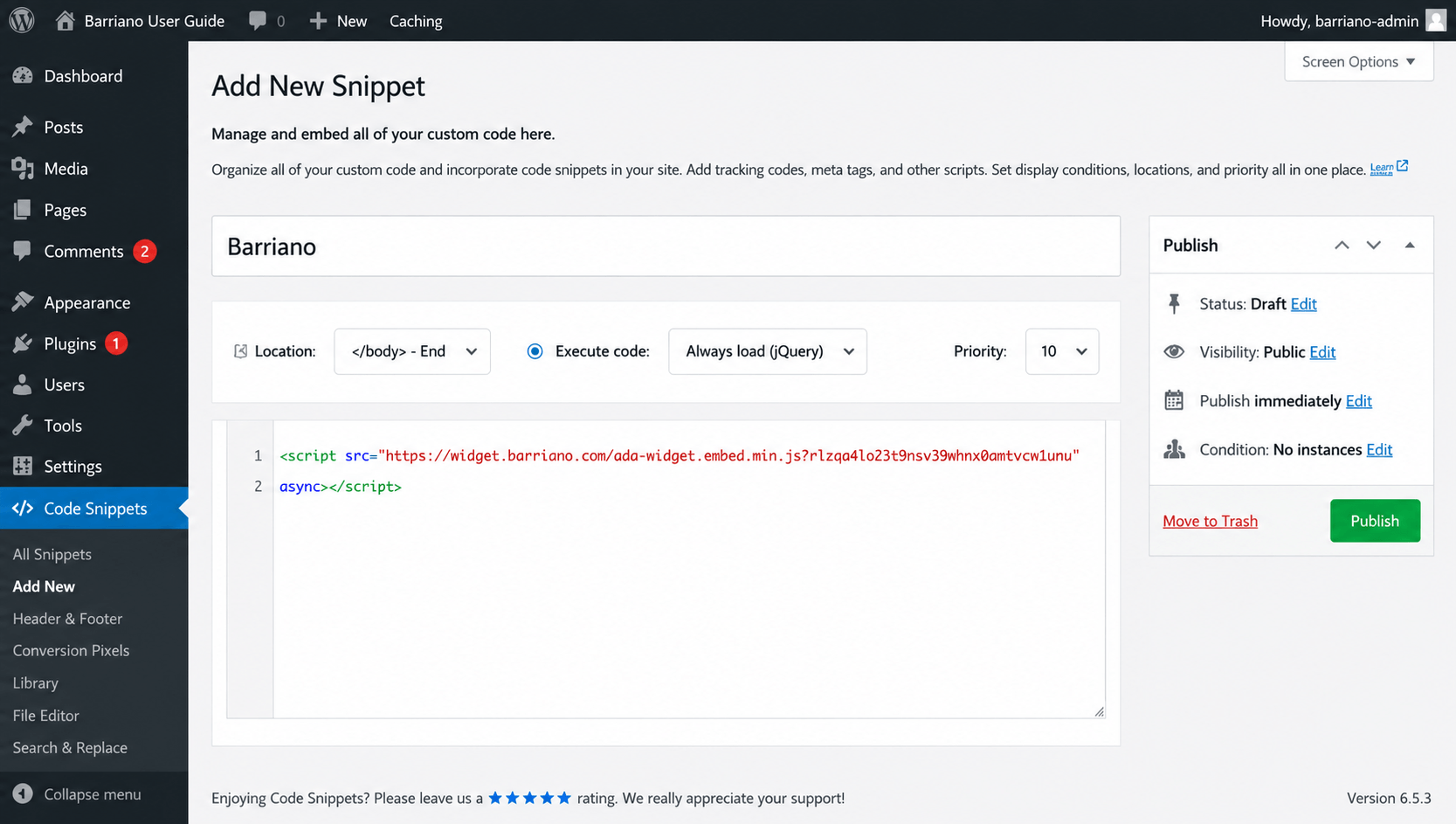
To save your changes, click “Publish” on the right side of the page.
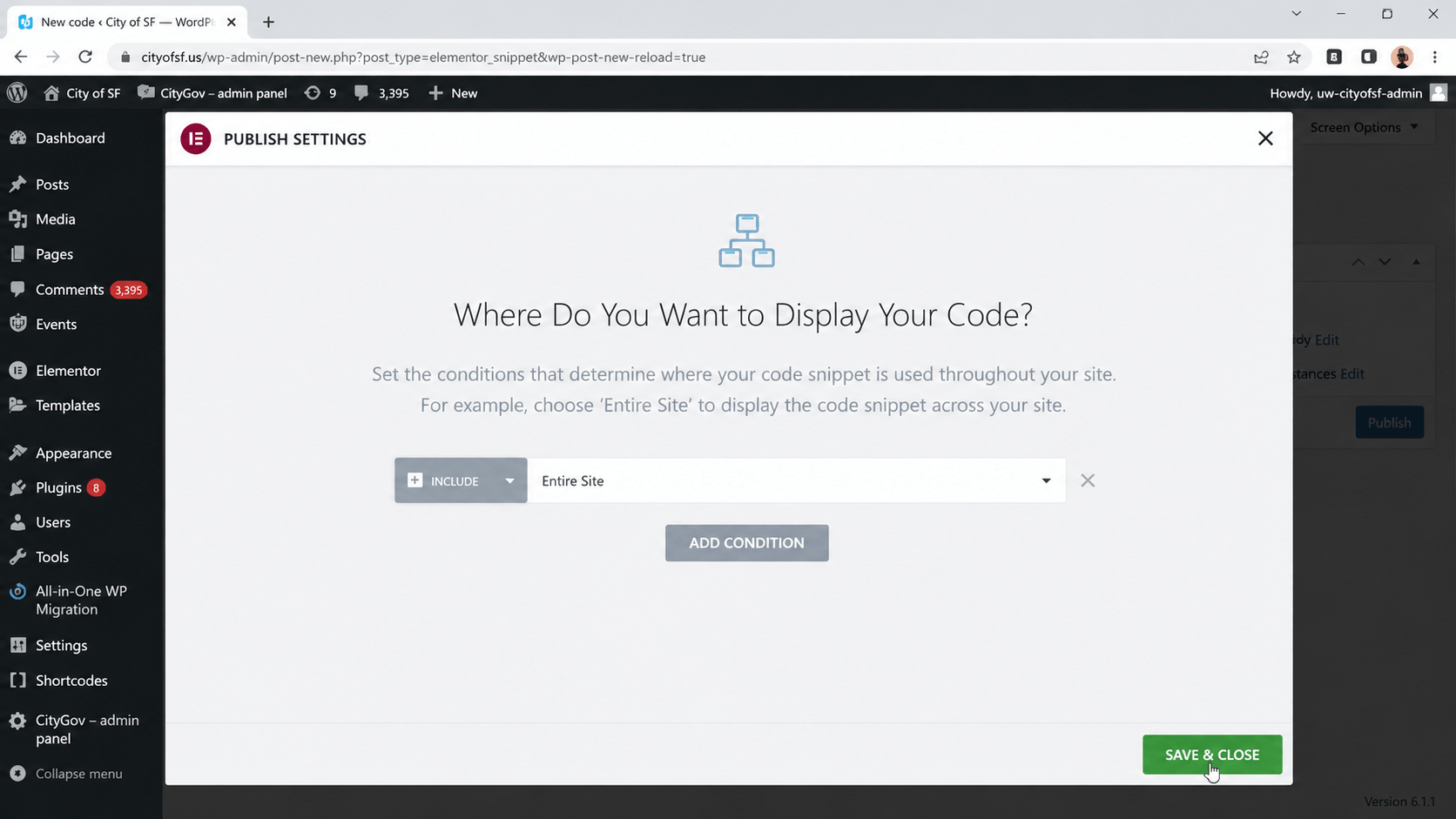
A popup window will appear asking where you want the Barriano code to be displayed on your website.
By default, the code will apply to every page. Make sure “Entire Site” is selected in the dropdown menu, and then click the green “Save & Close” button near the bottom-right of the window.
Step 4: Preview Your Website
Preview your website and confirm that the Barriano Accessibility Widget has been installed correctly.
Check that the widget icon is visible, opens properly, and works across the required pages of your Elementor website.
You’re all set! The Barriano Accessibility Widget is now installed on your Elementor website.