
If you want to improve the accessibility of your Weebly website, the Barriano Accessibility Widget can help provide accessibility tools that allow more users to access and interact with your website content.
Follow the steps below to install the Barriano Accessibility Widget on your Weebly website.
Step 1: Register Your Weebly Website with Barriano
The first step is to register your Weebly website with Barriano and complete the website setup process.
After registration, Barriano will generate a unique installation script for your website. Copy the script to your clipboard or save it as a text file.
Use the following Barriano installation script:
<script src=”https://widget.barriano.com/ada-widget.embed.min.js?rlzqa4lo23t9nsv39whnx0amtvcw1unu” async></script>
Do not modify the script URL or remove the unique website key.
If your website is already registered with Barriano, you do not need to register again. Sign in to your Barriano dashboard, select your Weebly website, and copy the existing installation script.
If you have difficulty accessing your Barriano account, use the password recovery option to regain access.
Step 2: Paste the Barriano Code into the Footer
Sign in to your Weebly website dashboard.
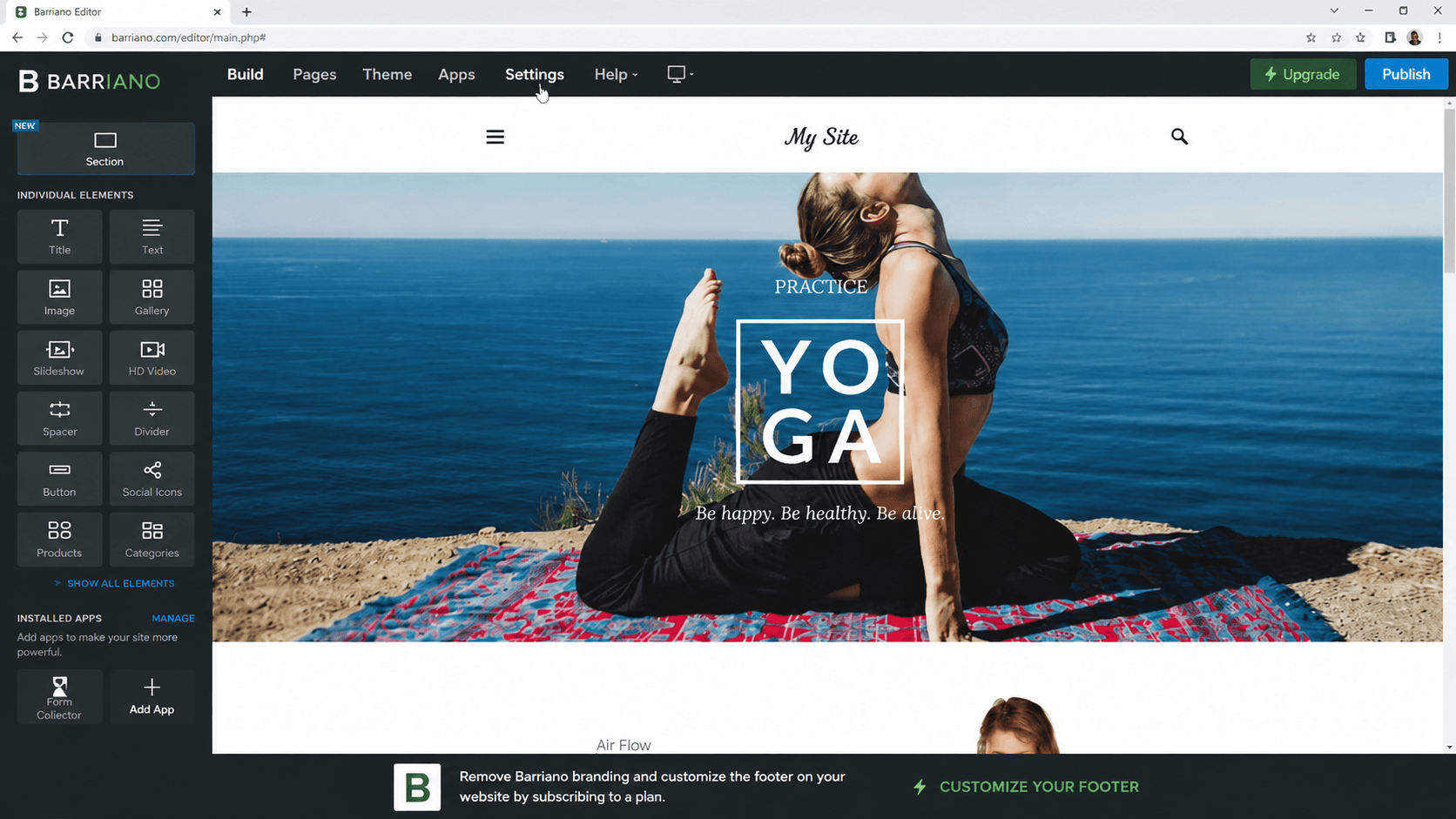
From the top-right menu, select Settings.
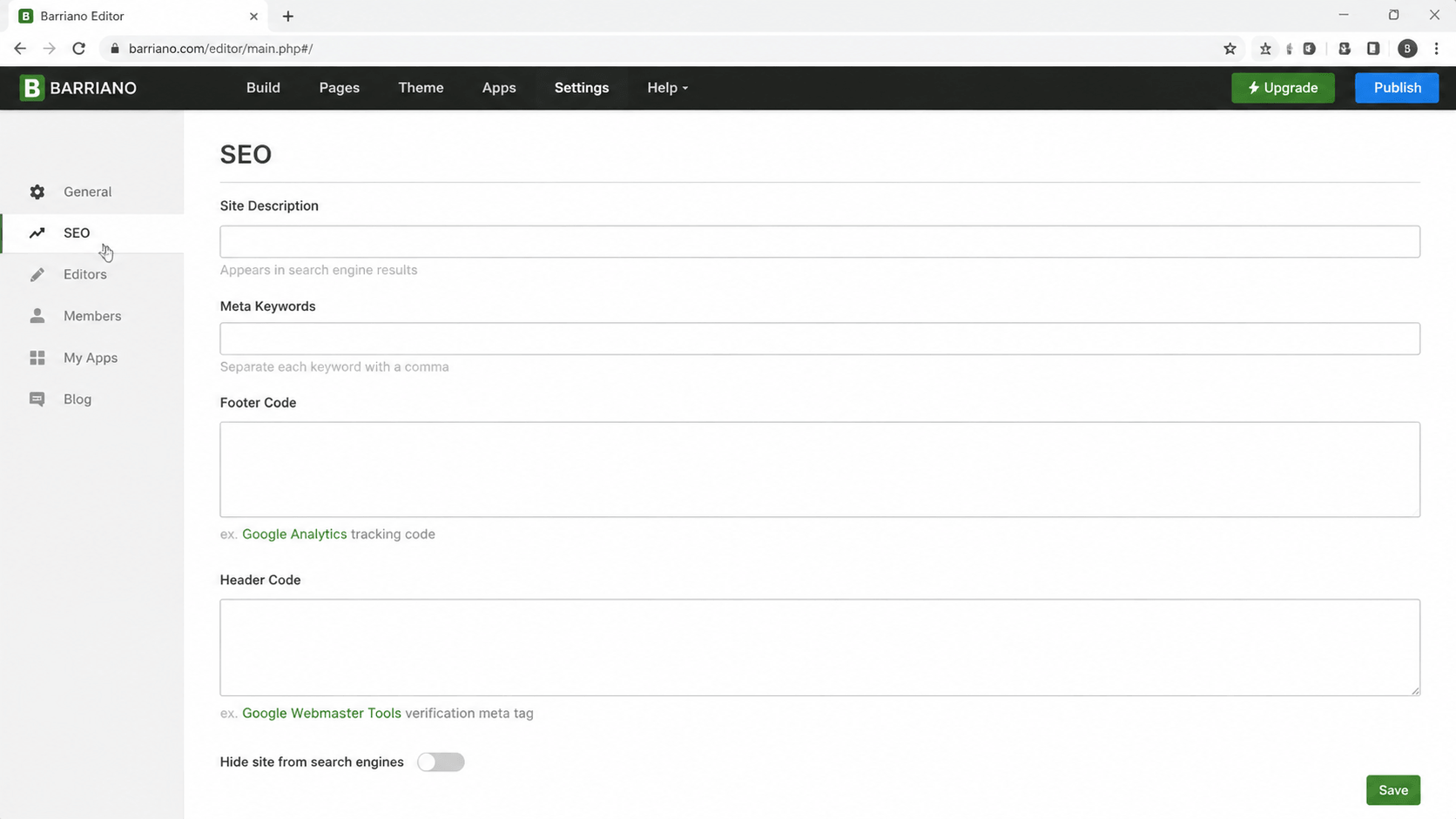
On the Settings page, open the SEO section from the left-hand menu.
Scroll down until you find the Footer Code field.
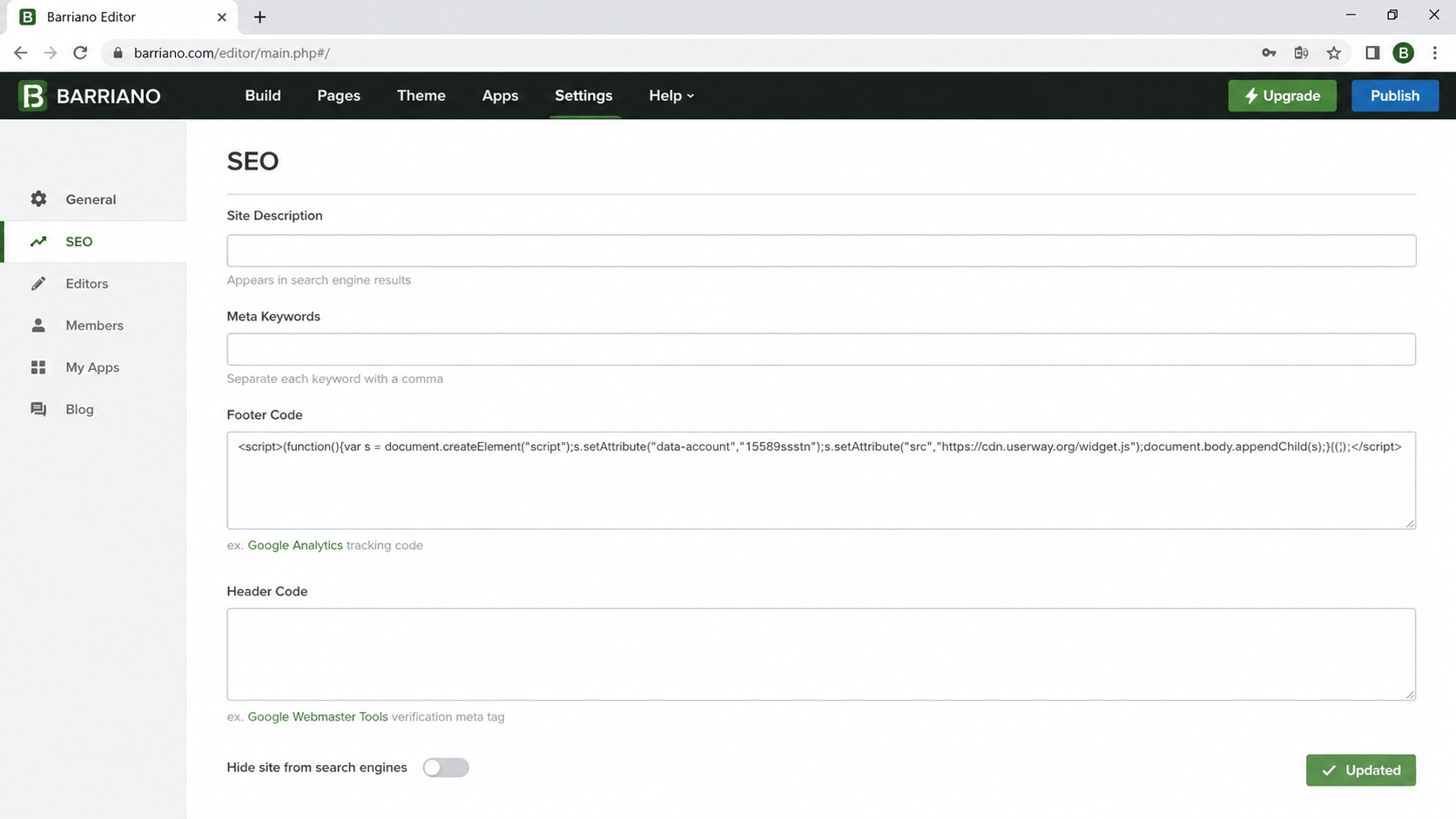
Paste your Barriano installation script into the Footer Code field:
Scroll to the bottom of the page and click Save.
Step 3: Preview, Publish, and Customize Your Weebly Accessibility Widget
Preview your Weebly website and confirm that the Barriano Accessibility Widget has been installed correctly.
Check that:
- The Barriano accessibility icon is visible.
- The widget opens correctly.
- The accessibility options work as expected.
- The widget appears on the required pages.
- The widget works correctly on desktop and mobile devices.
After confirming the installation, publish your Weebly website to apply the changes.
To customize your accessibility widget, sign in to your Barriano dashboard and select your Weebly website.
You can configure available widget settings, including:
- Widget icon
- Widget color
- Widget size
- Widget position
- Display preferences
Save your changes after completing the customization.
The Barriano Accessibility Widget is now installed on your Weebly website.