
nstalling the Barriano Accessibility Widget on your Drupal website helps improve accessibility and provides additional accessibility features for your visitors.
Step 1: Sign Up
Create your Barriano account using your work email address and website URL.
Complete the registration process to add your Drupal website to your Barriano account.
Step 2: Register and Configure Your Website
Add the Drupal website where you want to install the Barriano Accessibility Widget.
Complete the available website and widget configuration settings according to your requirements.
After completing the website setup, continue to the next step to access your installation script.
Step 3: Get the Barriano Script
After registering your website, Barriano will generate a unique installation script.
The code will appear as a small block of text beginning with the <script> tag.
Click “Copy” to copy the installation script.
Do not modify the script URL or remove the unique website key.
Step 4: Add the Barriano Widget to Drupal
Sign in to your Drupal administration panel.
From the administration menu, open “Structure.”
Select “Block Layout.”
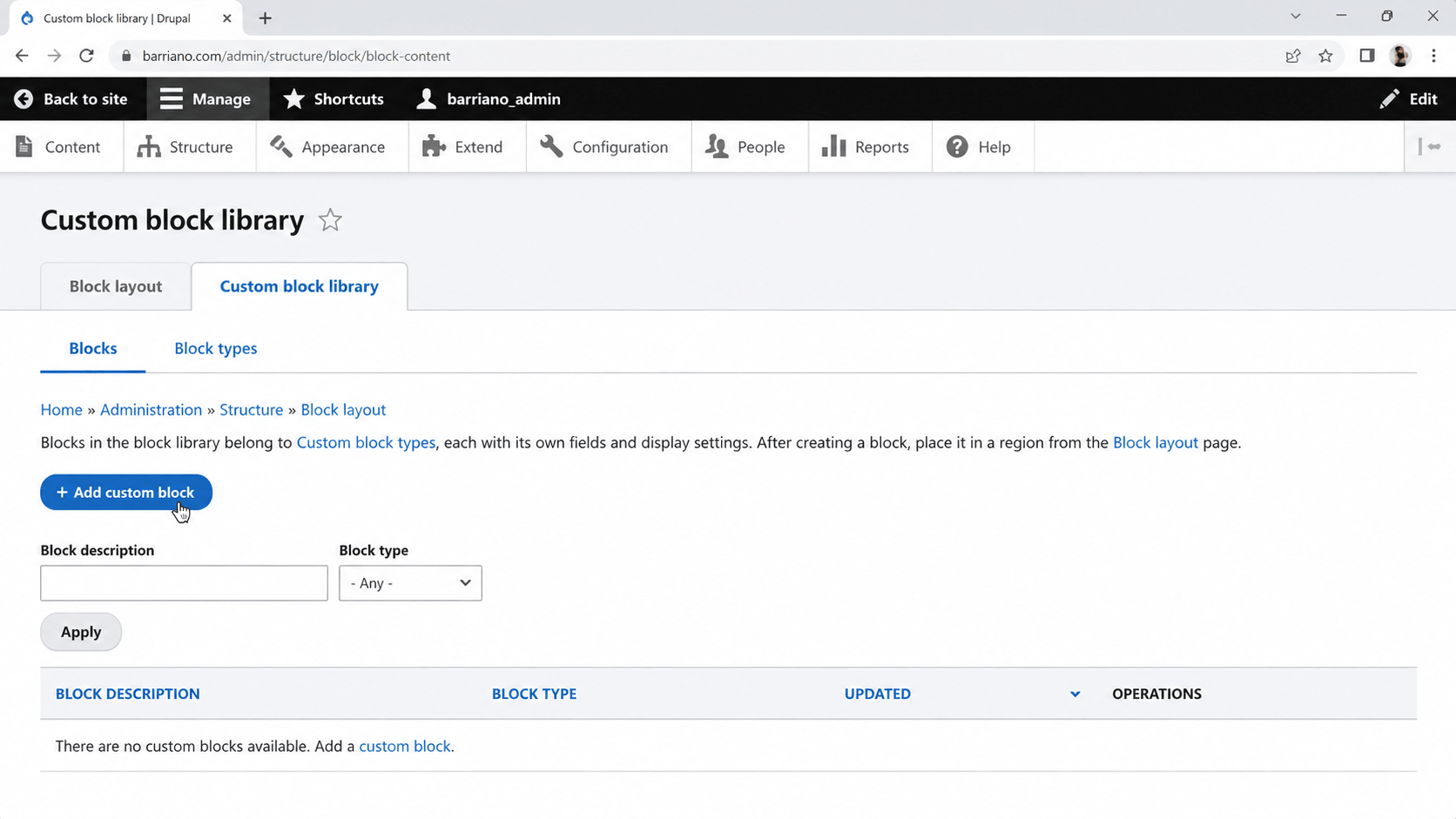
Open the “Custom Block Library” tab and click “Add Custom Block.”
Note: Add a screenshot showing the Custom Block Library and Add Custom Block button.
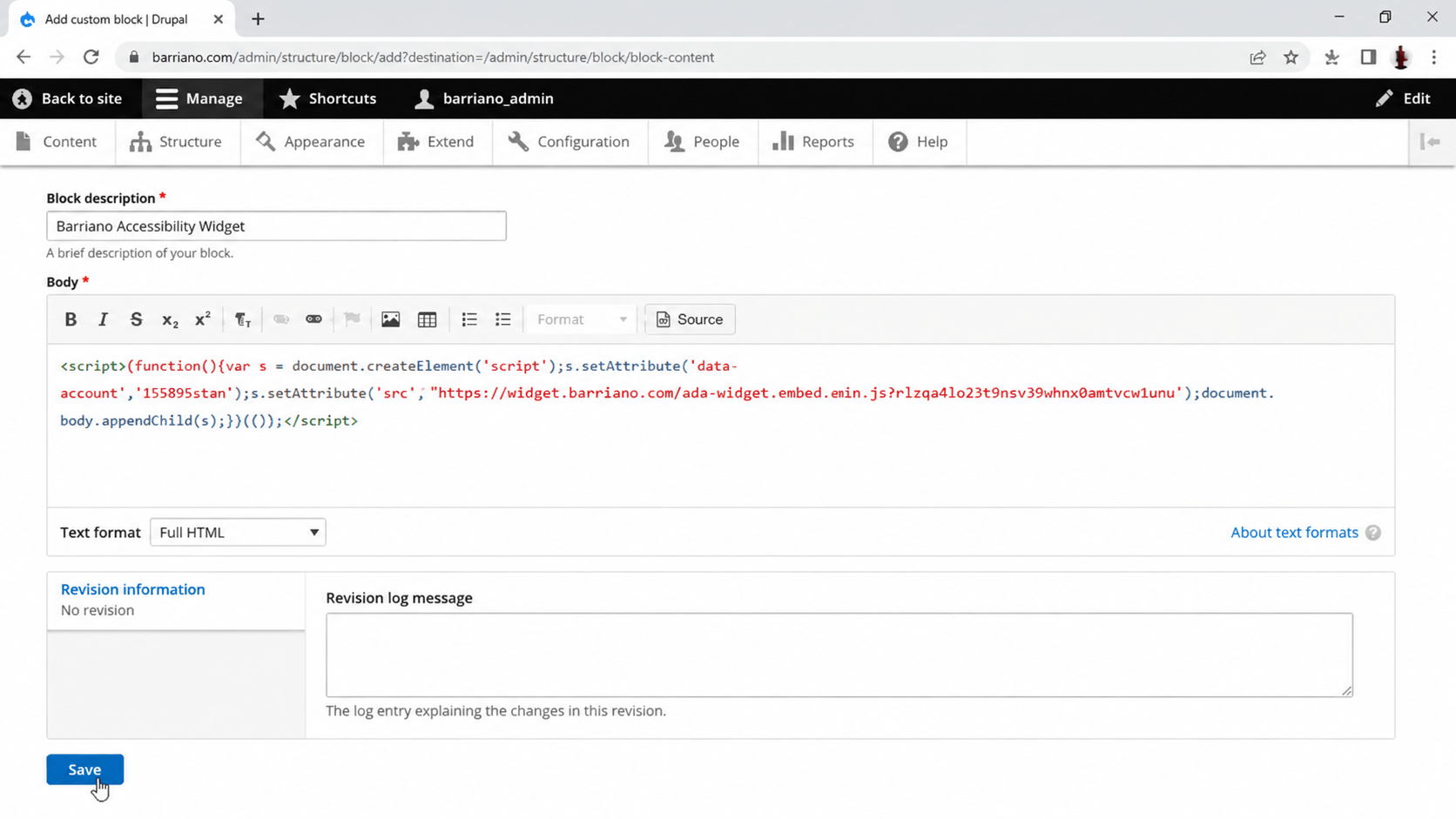
Enter “Barriano Accessibility Widget” in the block description field.
Change the text format from “Basic HTML” to “Full HTML.”
Click “Source” to open the HTML source editor.
Paste your unique Barriano installation script into the source editor.
Scroll down and click “Save.”
The Barriano script is now saved inside a custom Drupal block.
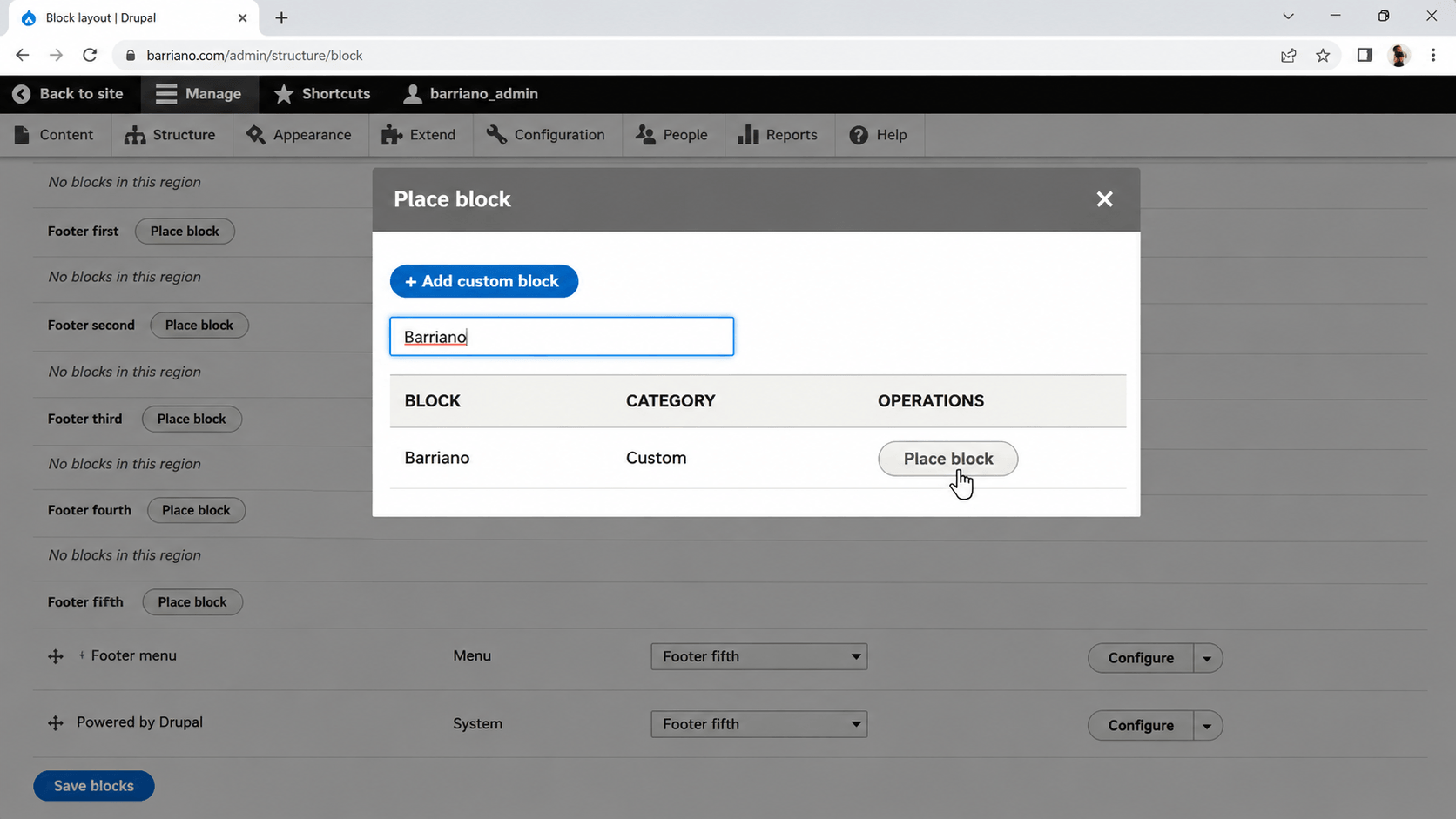
Return to “Block Layout” and scroll to the footer region used by your Drupal theme.
Click “Place Block.”
Find the “Barriano Accessibility Widget” block and click “Place Block.”
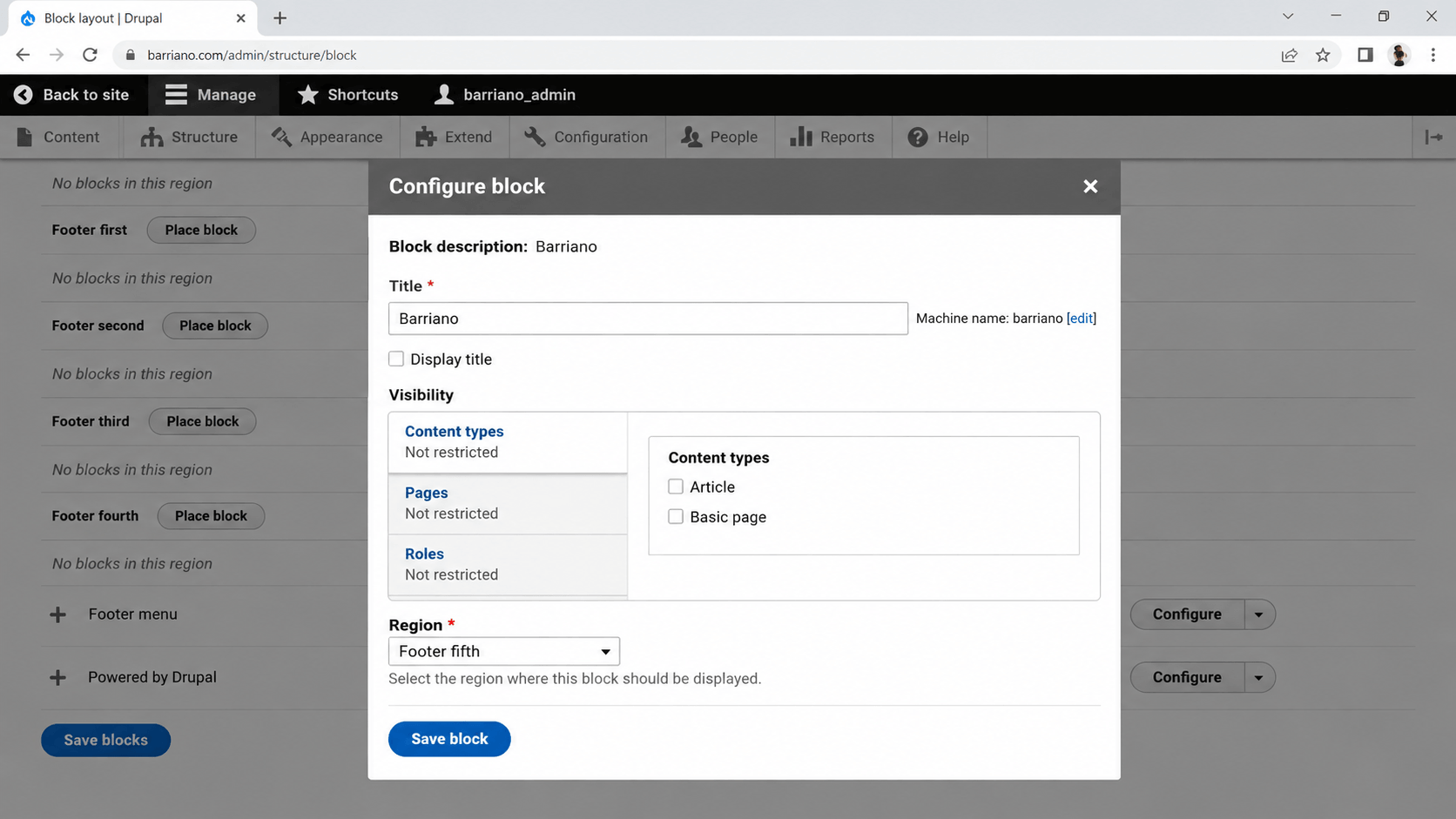
Deselect “Display Title” so the block title does not appear on the website.
Click “Save Block,” and then click “Save Blocks.”
Open your Drupal website and confirm that the Barriano accessibility widget is visible and working correctly.
You’re all set! The Barriano Accessibility Widget is now installed on your Drupal website.