
You can also install Barriano’s Accessibility Widget on your WordPress website manually by following these easy steps.
Step 1: Register your website with Barriano and get your unique code
If you haven’t done so already, register your website with Barriano and complete all the registration steps until you receive your unique code snippet.
Copy your unique code snippet as a text file or to your clipboard.
Step 2: Sign in to your Barriano account if you already have one
If you have already registered a website with Barriano, sign in to your Barriano dashboard and access the unique script code for your website. You can copy it to your clipboard or save it as a text file.
Step 3: Embed your code into WordPress
This step requires some familiarity with code, as you will need to add your unique code to the HTML in your WordPress site. Please be sure not to delete anything from your website’s existing code, as it can negatively impact your website.
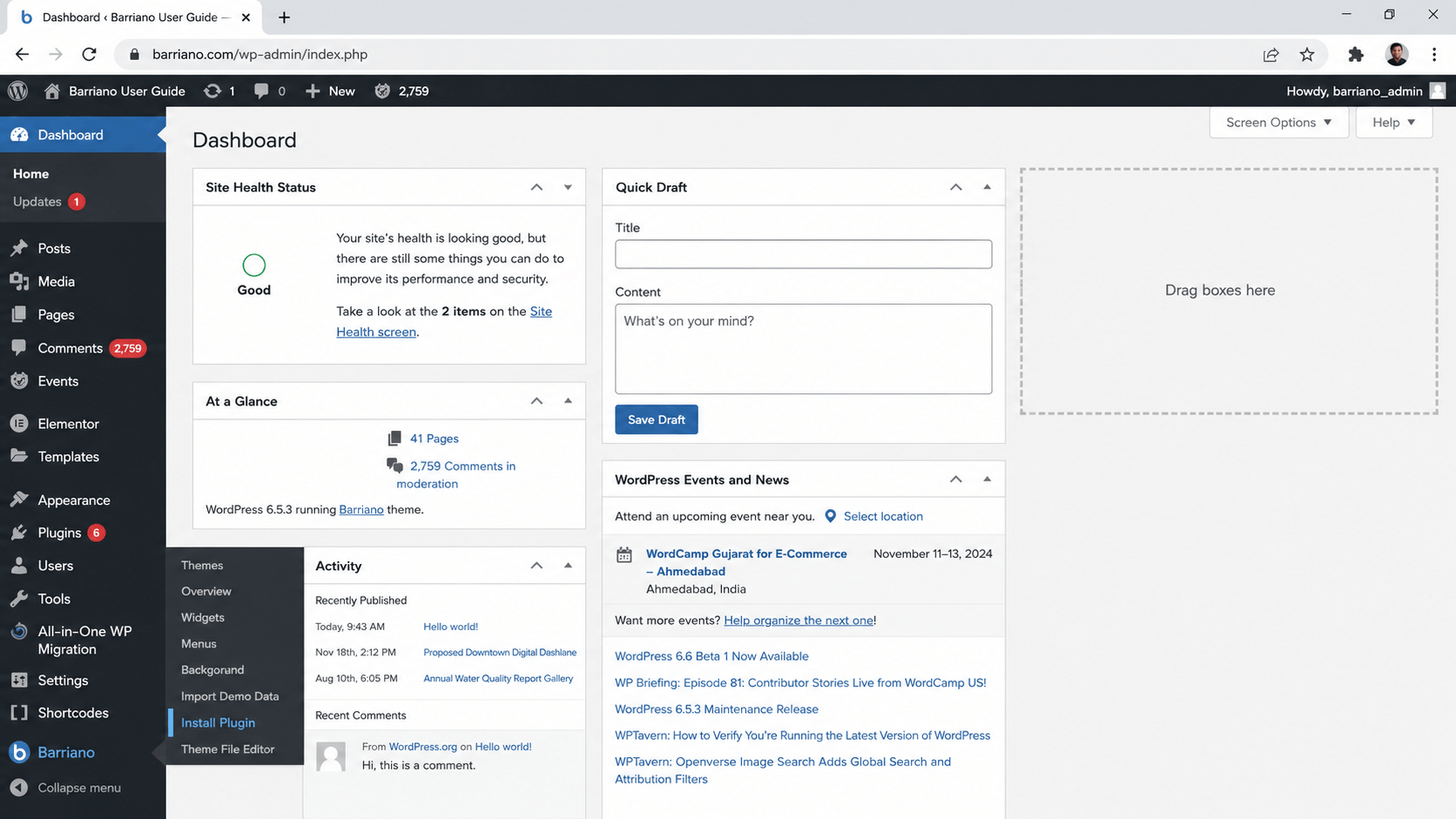
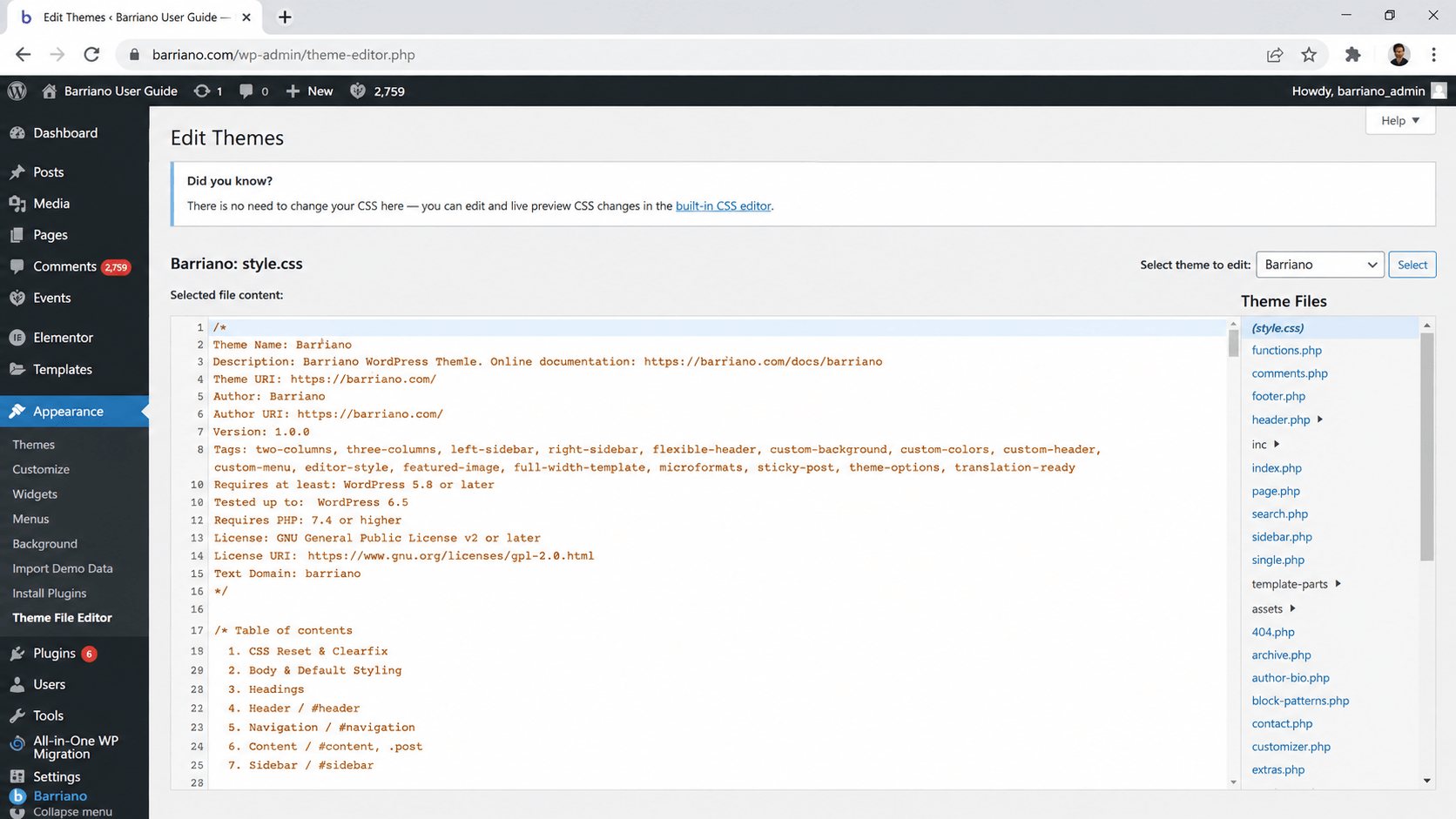
In your WordPress dashboard’s left menu, scroll down to Appearance and then select Theme File Editor.
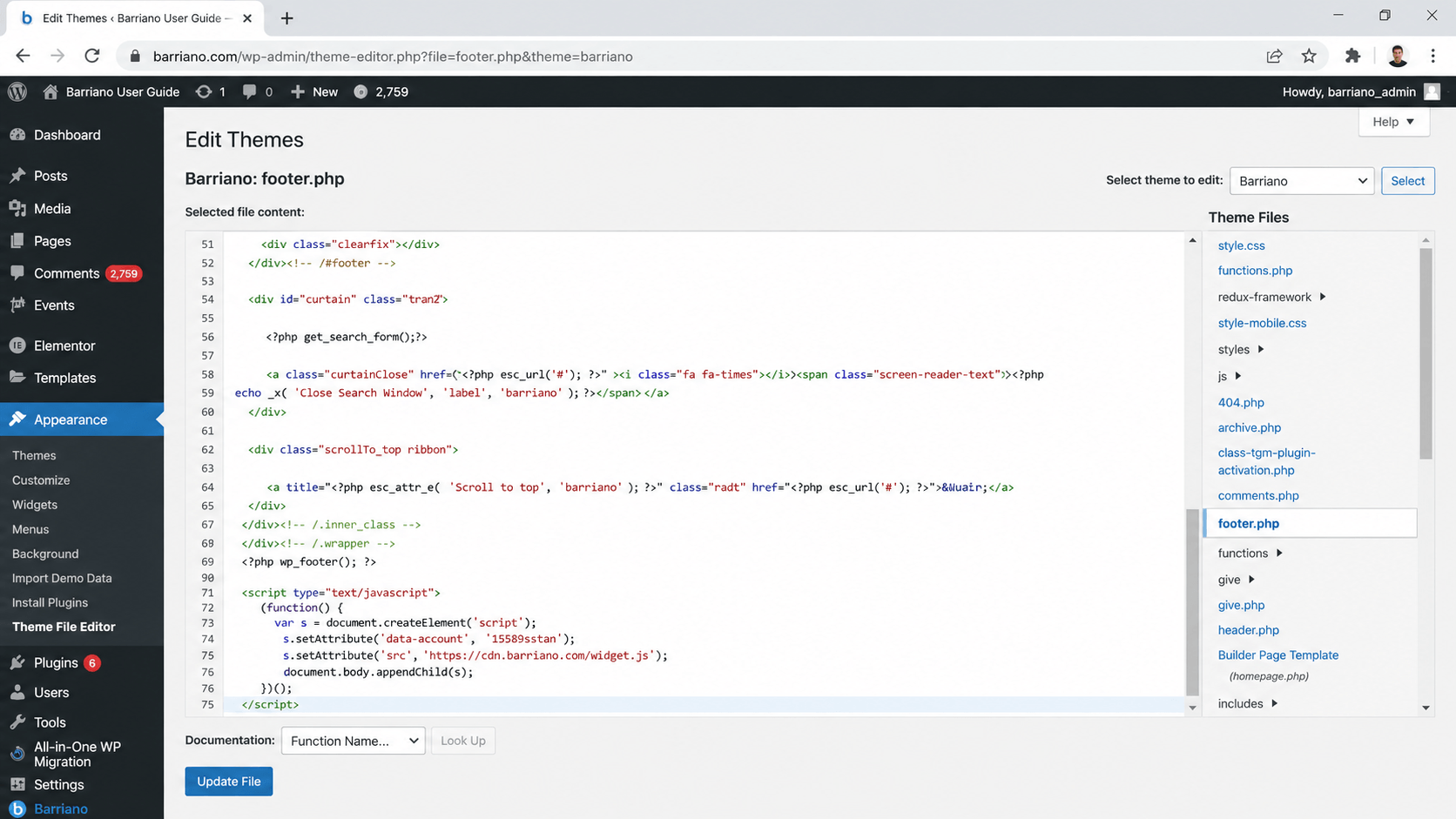
On the right side of the page, under Theme Files, scroll down and select footer.php to open it.
Now, scroll down to find the body closing tag that looks like </body> and place your cursor above it. Press Enter on your keyboard several times to give yourself some space.
On one of the new blank lines, paste the script.
Don’t forget to update your website by clicking Update File under the code.
Step 4: Review your website
Preview your site to test if your new Barriano widget is installed and working correctly.